Failed to Bypass Cloudflare FIX in Tachiyomi App
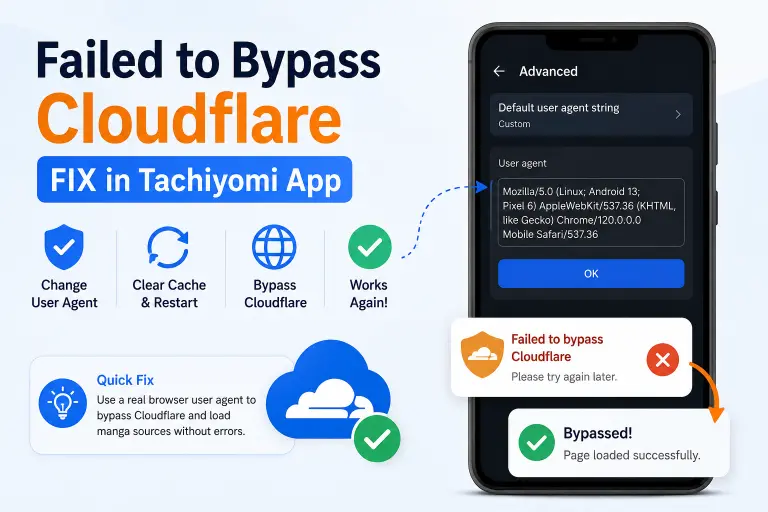
If a manga fails to load with “failed to bypass Cloudflare,” it’s usually one source rejecting the app’s default user agent, not the app itself breaking. This happens on Mihon, TachiyomiSY, and other current forks the same way it did on the original Tachiyomi, since they all share the same Settings menu. Here’s the fix.
Why This Happens
Cloudflare checks the request coming from the app’s WebView, and the user agent string is one of the signals it uses to decide whether that request looks like a real browser or a bot. The app’s default user agent sometimes doesn’t match a real browser closely enough, so Cloudflare throws a challenge instead of letting it through. Swapping in an actual browser’s user agent string usually clears this, because it’s a straightforward mismatch, not a deeper block.
This is also why the error is source-specific. If two other sources load fine and only one throws the Cloudflare error, the issue sits with that source’s protection level, not the app.
Fix: Change the Default User Agent
- Open the app and go to More → Settings → Advanced.
- Tap “Default user agent string” and clear the current value.
- Get a real user agent. Open your phone’s browser and search “what’s my user agent.” Use the first whatismybrowser.com result and copy the full string shown.
- Paste that string into the Default user agent field and confirm.
- Force-close the app from the app switcher.
- Clear the app’s cache. Long-press the app icon → tap the (i) info button → Storage → Clear cache.
- Reopen the app and try the source again.
If it loads now, the fix worked — it was a user agent mismatch, not a broken source or extension.
If the Error Comes Back
- Try a different, more recent user agent string — reusing the same one won’t help if it’s already been flagged.
- Open the source directly through the in-app WebView and clear the Cloudflare challenge manually once.
- Clear cookies and WebView data separately, not just the app cache, from the same Advanced settings tab.
- Check your Android System WebView version — a mismatch between it and the pasted user agent can trigger the same error.
If none of these clear it, that source’s Cloudflare protection is set higher than a user agent change can get past, and that’s a source-side limit, not something fixable from inside the app.
Which App This Applies To
Original Tachiyomi stopped receiving updates in January 2024. Mihon, TachiyomiSY, and other forks carried the same codebase forward, including this exact Settings → Advanced menu. So this fix applies the same way whether you’re on an old Tachiyomi install or a current one of these forks.
Conculsion
If a different source fails with a different error — not a Cloudflare bypass, but something like a 404, an install failure, or a source that won’t load at all — that’s a separate layer of the problem and needs its own diagnosis, not this fix.